
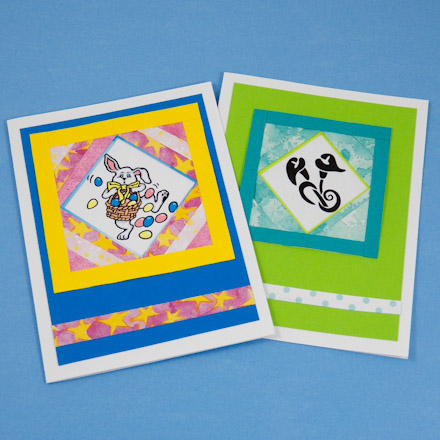
In this greeting card tutorial, learn how to use folded paper strips to give your card added depth with three-dimensional layers. Strip folding is a flexible paper crafting technique closely related to iris folding. This tutorial features a frame created with folded paper strips that enhances a small image or photo as the focal point of your card. Also, this is a great way to use paper leftovers or recycle decorative papers used in other crafts.
Also included are templates for making Wishing Tree and St. Patrick's Day cards.
Related craft: See how to make a Strip Folding Hearts Card.
This greeting card tutorial builds on previous tutorials in the original Greeting Card Class set of tutorials. If you are new to card making, review these tutorials for ideas and basic techniques.
Refer to Card Class Tutorial #1: Four Patch Cards for how to make card blanks and envelopes.


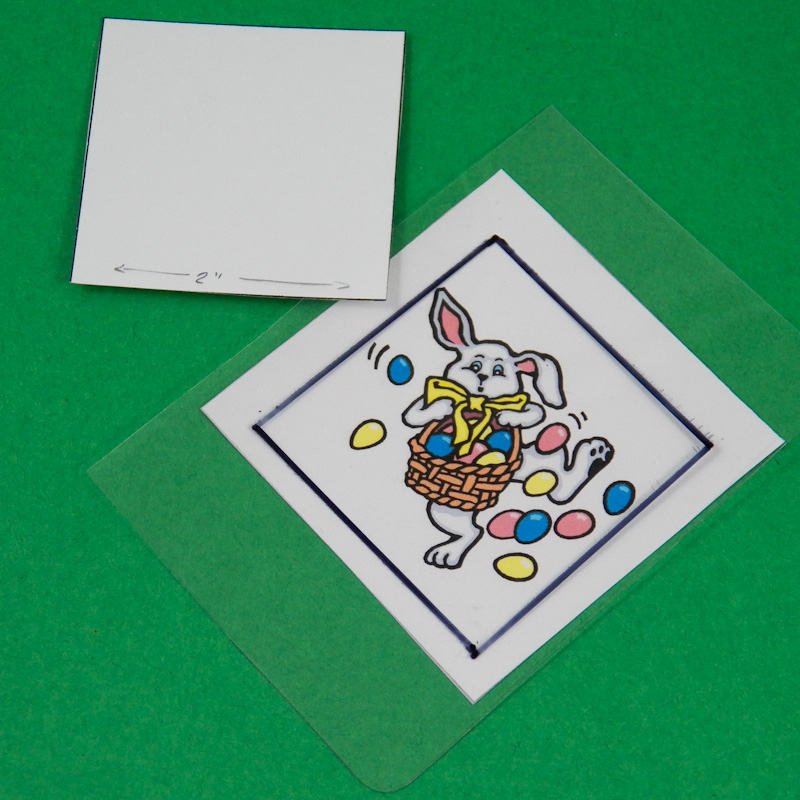
This card is built around a 3½" frame with its corners built out, and uses layered strip folding to form a 2" square-on-point inner frame.
Select an image that will fit into a 2" square-on-point. Cut a 2" square from cardstock to use as a guide, or draw a 2" square on clear plastic—transparent report covers work well.
Tip: To make templates, print Aunt Annie's strip folding pattern to cardstock and cut out templates for the frame and the center image. The pattern includes frame templates in three sizes: 3", 3½" and 4". For easy card making, the templates include correctly-sized images of wishing trees and shamrocks—great for weddings and St. Patrick's Day!
Tip: Cut images from old greeting cards or stamp an image. The image used here is clip-art downloaded from the internet.
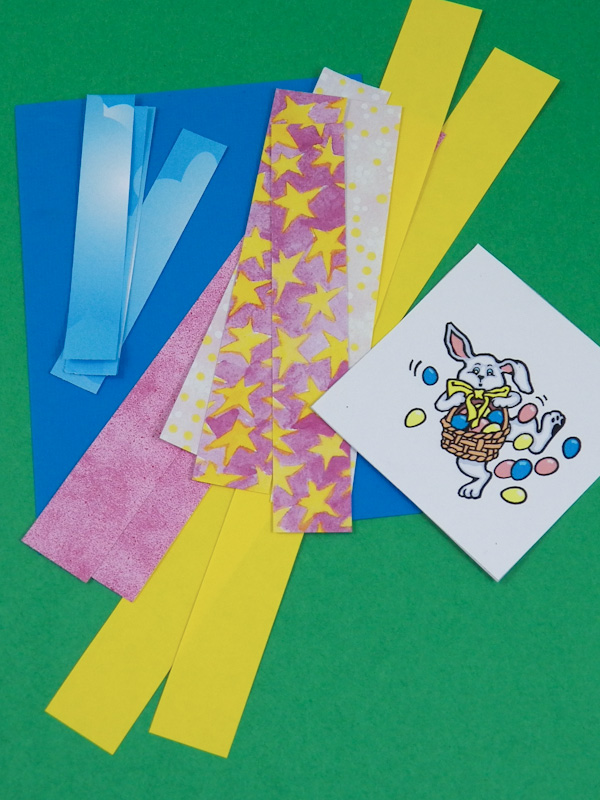
Select colors for the paper strips that coordinate with your selected image. For the bunny, yellow strips are used for the outer frame, and pink strips for the corner layers. The card's mat is blue, and the strips for the inner frame are blue to match it.
For the outer frame, cut strips that are ¾" wide, with enough length to later cut four 3½" strips. For the corners, cut strips that are ¾" to 1½" wide. For the inner frame, ½" wide strips are needed.
Fold the strips in half lengthwise and glue. Tip: You can fold and glue all the strips now or as you need them.
Tip: For similar decorative papers, see the Yellow Stars and Sky Blue Dots on Blue free digital paper collections—specifically, the Yellow Stars on Pink and Clouds in Blue Sky papers.

Cut four 3½" folded strips for the frame. Arrange the strips into a square, and glue them together at the corners. Be sure to turn the folded edges of the strips toward the center of the frame.
Note which side of the frame looks the best. The corner layers are glued to the back of the frame.
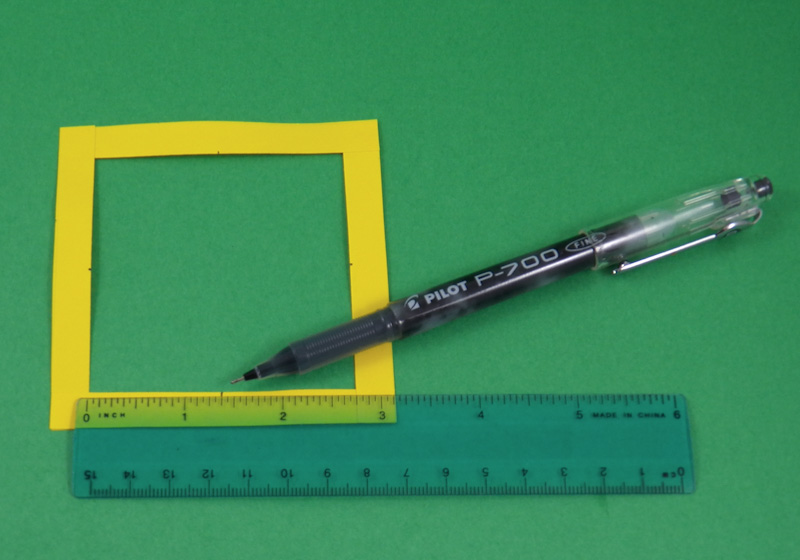 On the back of the frame, mark the midpoint on the inside of
each frame with a pencil or pen. These marks indicate the position
of the
last layer for each corner.
On the back of the frame, mark the midpoint on the inside of
each frame with a pencil or pen. These marks indicate the position
of the
last layer for each corner.
Tip: Download and print one of the frame templates to use as a guide.

Fill each of the frame's corners with layers of folded strips. Lay a short strip, with the folded edge toward the center, across the corner and glue in place. Lay another strip across the corner, overlapping the first strip just a little, and glue in place. Add more strips, if needed, to fill the corner. The last strip should meet the midpoint marked on two sides.
Tip: Don't worry if the strips extend beyond the outside edge of the frame. You will trim them in a later step.
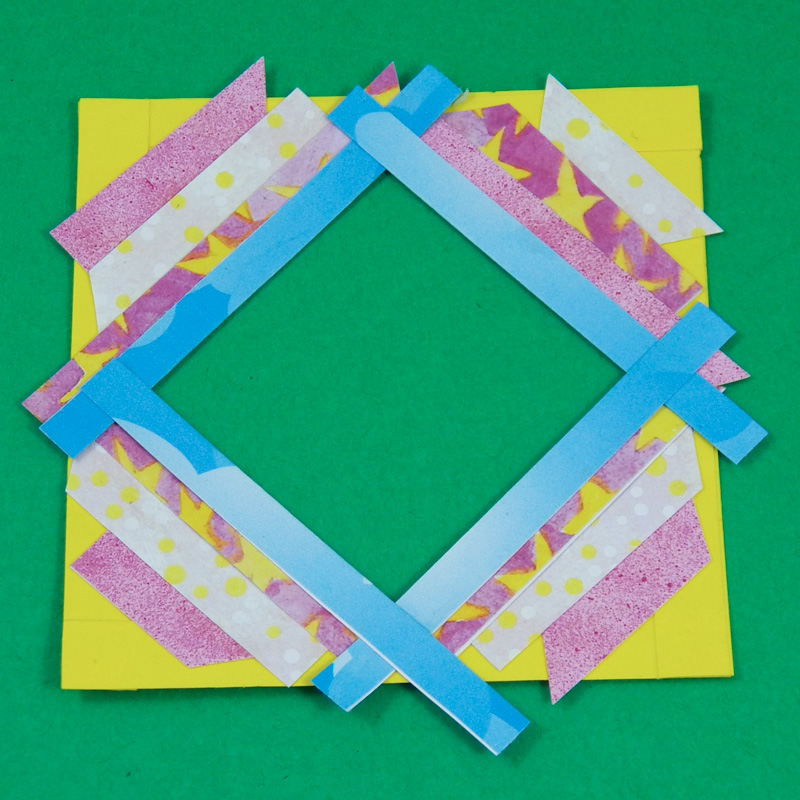
Create an inner frame of paper strips that match the card's mat. To do this, lay a narrow strip over the last strip on each corner. Adjust the strips so that only a tiny bit shows on the front.
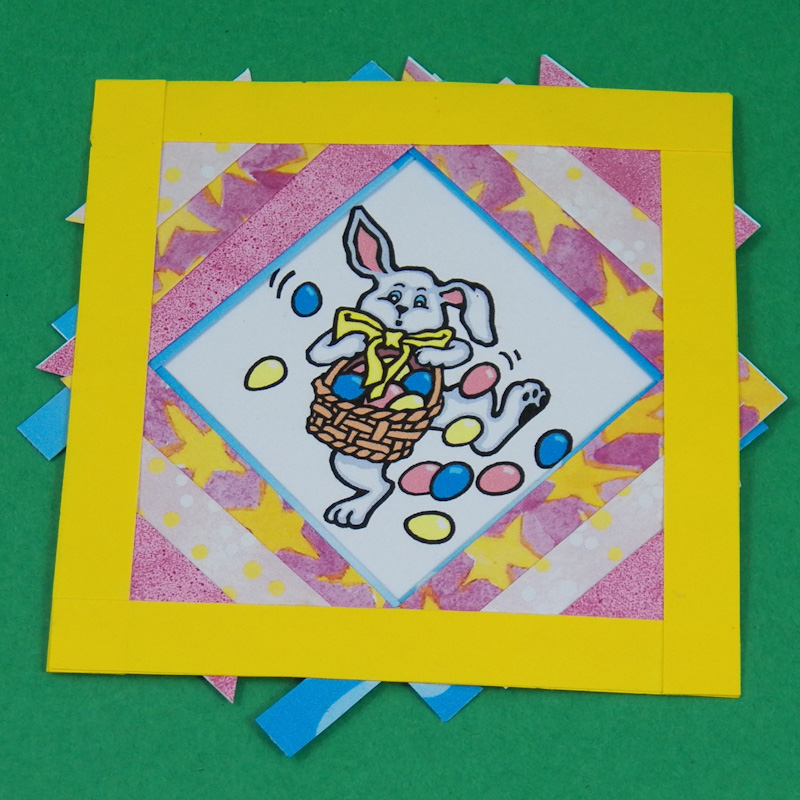
Flip the frame over and position it over the image. Glue in place.
Trim any paper that extends beyond the outer edge of the frame.

Glue the frame with image to the card's mat. Add an accent strip across the mat near the bottom. Glue the mat to the card.
Now anytime you have a special—but small—image, you'll know how to build it up to make a terrific card!
That's it! Your card is done!

Tip: Use paper strips that reflect the energy level of your image in design and color. See how the stars add to the upbeat feel of the dancing rabbit. Now, look at the lily card pictured below and see how the paper strips enhance the calm and serenity of the lily.
Project Extra: Templates

This printable pattern includes frame templates in three sizes: 3", 3½" and 4". Use them as guides in selecting images, creating the frame and in filling the frame corners with folded strips.

Use the printable patterns above to create wishing tree cards. Use the templates like the plain ones with the option to use one of the wishing tree images as the image for your card.

Use the printable patterns with shamrocks to create St. Patrick's Day cards. See how in Shamrock Strip Folding Cards.


Tip: Use the wishing tree templates as the image for your card. Either build out a frame with strip folding or use one of the colored templates 'as is' for a quick card.
The orange card uses a black and white wishing tree colored with markers and folded strips to fill the corners of a blue frame.
The quick and easy green card features one of the colored wishing trees templates, which is simply glued to decorative paper.

Tip: Use Aunt Annie's coordinating White+ Dots on Blue digital papers and/or Spring Polka Dots papers to make strip folding greeting cards or other card.

Tip: Create a 3" frame to feature an image that fits in a 1½" square-on-point. Use the smaller templates in the strip folding pattern as guides for creating this size of frame and image.
Tip: Use a strip folded on both edges, like this dotted one, to embellish the card's mat.

